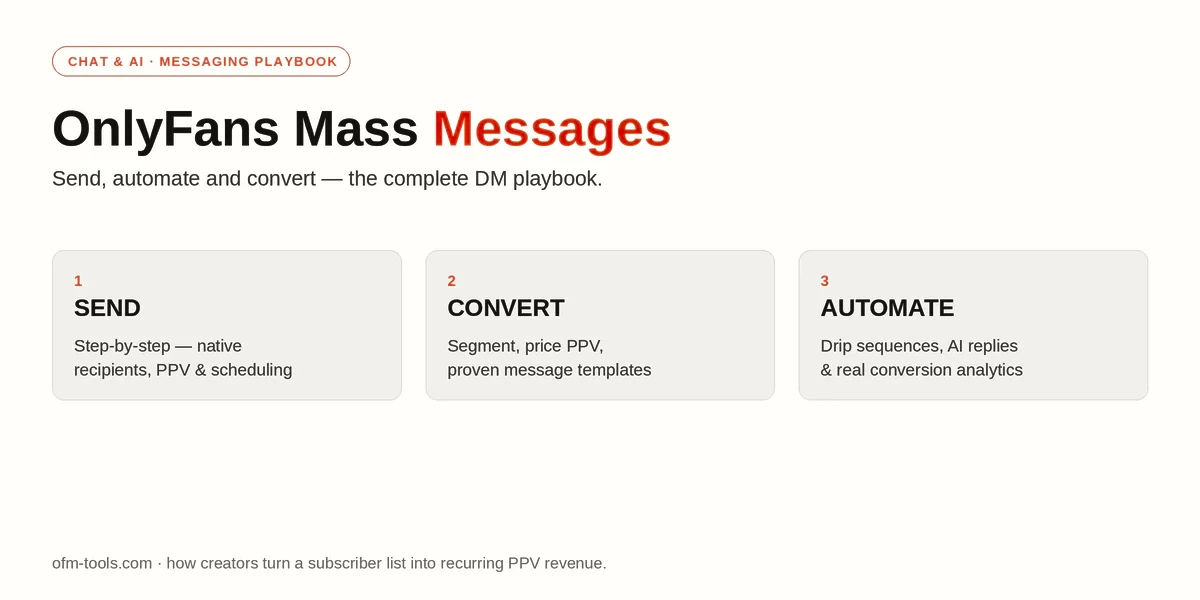
Most of the money on OnlyFans isn’t made on the feed · it’s made in the DMs. OnlyFans mass messages are how creators and agencies turn a subscriber list into recurring pay-per-view (PPV) revenue, and doing them well is the single highest-leverage skill in the whole business. This guide covers all of it: how to send a mass message step by step, the strategy that actually converts, real templates you can copy, where the native tool falls short, and how bigger accounts automate the whole thing.
Table of Contents
What Are OnlyFans Mass Messages?
A mass message is a single message blasted to many subscribers at once, instead of one-to-one. It’s different from a welcome message (the auto-DM a new subscriber gets) and from a genuine 1:1 conversation with a fan. Mass messages are your broadcast channel · the fastest way to put a paid PPV offer, a tip game, or a re-engagement nudge in front of your whole list in seconds.
They matter because direct messages, not feed posts, are where most PPV sales happen. A good mass message sent to the right segment at the right time is the closest thing OnlyFans has to a “send revenue now” button.
How to Send a Mass Message on OnlyFans (Step by Step)
- Open Messages from the left menu and start a New Message.
- Choose your recipients. OnlyFans lets you send to all subscribers or segment them · by subscription status, by fans who’ve tipped, by subscription date, or by upcoming renewal.
- Write your message (keep it short and personal) and attach the photo or video if it’s a PPV.
- Set it as free or lock it as PPV and set a price. A free teaser plus a locked PPV is the classic combo.
- Send now, or use the schedule option to queue it for a specific date and time.
That’s the whole native flow. It’s simple · which is also its limitation, as you’ll see below.
OnlyFans Mass Message Strategy That Converts
Sending is easy. Converting is where the craft is.
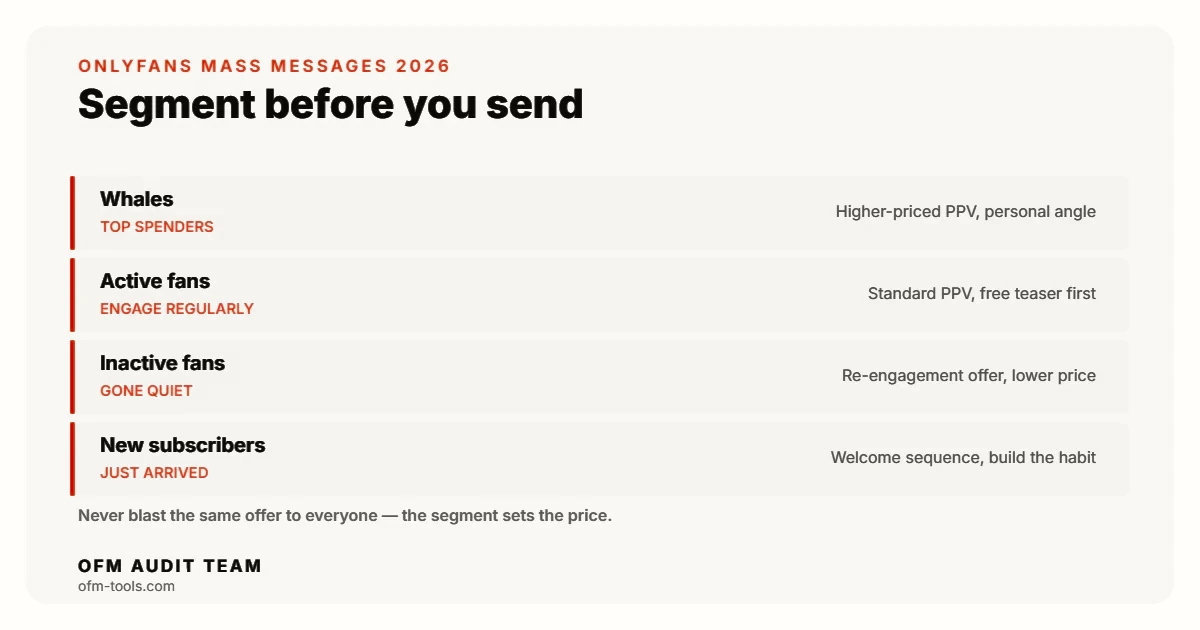
Segment your audience
Never blast the same offer to everyone. At minimum, split your list into whales (top spenders), active fans, inactive fans, and new subscribers. Your whales can handle a higher-priced PPV; your inactive fans need a re-engagement hook, not a hard sell. Segmenting is the difference between a 2% and a 10% conversion.
Price your PPV right
There’s no universal number, but the pattern that works is a free teaser that builds curiosity, followed by a locked PPV priced for the segment. Lower price points convert more volume; higher price points work on whales and premium drops. Test a range rather than guessing once and sticking with it. For the full picture on price points · subscription bands, PPV caps and the 20% cut · see our OnlyFans pricing guide.
Timing and frequency
Evenings and weekends generally see the highest engagement, but your own analytics beat any rule of thumb. Just as important: don’t over-send. Blasting PPV every few hours trains fans to ignore you and drives unsubscribes. A tested cadence beats volume.
Write to sell
Open with a hook, create curiosity about what’s behind the lock, keep the tone personal (like it’s just for them), and end with a clear call to action. The message should feel like a whisper, not a billboard.
OnlyFans Mass Message Examples and Templates
Use these as starting points, then rewrite them in your own voice: For hundreds more ready-made openers, the DirtyDialogues script library is worth a look.
| Goal | Example message | When to send |
|---|---|---|
| Welcome a new subscriber | “Hey 😘 so happy you’re here! I left something a little special in your DMs · go peek 👀” | Automatically, right after they subscribe |
| PPV content drop | “Just filmed something I couldn’t put on my feed… unlocking it here for a few hours only 🔥” | Peak hours (evenings) |
| Re-engage inactive fans | “Haven’t heard from you in a bit and I miss our chats 🥺 here’s a little something to say hi” | After 7–14 days of no activity |
| Tip game | “Feeling generous? 💸 Tip and I’ll send a surprise back · first 10 only” | Weekends |
| Renewal reminder | “Your sub renews soon · stay and I’ll spoil you with something new this month 💕” | 1–2 days before renewal |
| Win back expired fans | “I saved your spot 😇 come back and your first unlock is on me” | Shortly after expiry |
The Limits of OnlyFans’ Native Mass Messaging
- No true automation. You can schedule a send, but there’s no drip sequence, no “if they open but don’t buy, follow up” logic.
- Basic segmentation only. You’re limited to subscription status, tips, and renewal dates · not behavior, spend tier, or message history.
- No personalization at scale. Every recipient gets the identical text; you can’t dynamically insert names or tailor the offer per fan.
- No A/B testing. You can’t split-test two hooks or two prices and let the data pick the winner.
- Thin analytics. You see basic numbers, not proper conversion tracking per campaign or per chatter.
- It’s all manual. Across multiple creators, running messaging by hand eats hours every day.
None of this means you need a tool on day one. It means you’ll outgrow the native feature the moment volume gets serious.
Automating Mass Messages with a CRM or AI Tool
This is where a dedicated tool earns its keep. OnlyFans management platforms and AI chat tools are built to do everything the native feature can’t: advanced scheduling and drip sequences, fine-grained segmentation, AI-assisted or fully automated replies, per-fan personalization, multi-account management, and real conversion analytics so you know which message and which chatter actually drove sales. We’ve also tested Harpoon’s AI sexting engine, which takes this automation a step further.
If you’re weighing options, start with our roundup of the best OnlyFans AI chatbots and the wider OnlyFans CRM comparison. Tools like Supercreator and Infloww centre their whole product on messaging at scale · see what these platforms actually cost before committing, and browse the full set of AI chat tools agencies use.
One honest caveat: a tool amplifies a good strategy, it doesn’t replace one. Automating a weak message just sends a weak message faster. Master the native flow and your copy first, then bring in software when the volume · or the size of your team of chatters · makes manual work the bottleneck.
Track, Test, Improve
Treat every mass message as an experiment. Track open, purchase, and conversion rates per campaign. A/B test one variable at a time · the hook, the price, the send time · and keep the winner. Watch your unsubscribe rate as a guardrail: if it climbs, you’re sending too often or selling too hard. The creators who win in the DMs aren’t the ones with the best single message; they’re the ones who measure and iterate every week.
Frequently Asked Questions
How do you send a mass message on OnlyFans?
Open Messages, start a new message, choose or segment your recipients, write your text and attach media, set it as free or PPV with a price, then send now or schedule it.
Can you schedule mass messages on OnlyFans?
Yes. The native tool lets you queue a mass message for a specific date and time. It does not, however, support automated drip sequences · that needs a third-party tool.
Can you automate OnlyFans messages?
Only partially. OnlyFans supports scheduled sends and welcome messages natively. True automation · drip sequences, behavior-based follow-ups, AI replies · requires a CRM or AI chat tool.
What’s a good PPV price for a mass message?
There’s no single number. Use a free teaser to build curiosity, then price the locked PPV for the segment · lower for volume across your whole list, higher for whales and premium drops. Test a range.
How many mass messages should you send?
Enough to stay present without training fans to ignore you. A tested cadence around peak hours beats high volume · watch your unsubscribe rate and pull back if it rises.
🔗 More in Chat & AI
Messaging keeps subscribers · getting them in the first place is its own system: how to get OnlyFans subscribers.